How to make a Mac ask before saving changes
- Shown on
- MacBook Neo
- Software
- macOS 27.0.1More macOS 27 guides
- Checked
- October 2026
- Real screenshots
- 4 of 4 steps
 Real screenshot · MacBook Neo, macOS 27.0.1
Quick answer
Open System Settings, click Desktop & Dock, scroll to Windows and switch on Ask to keep changes when closing documents. When you close an edited document, the Mac then asks whether to save the changes.
Steps
- 1
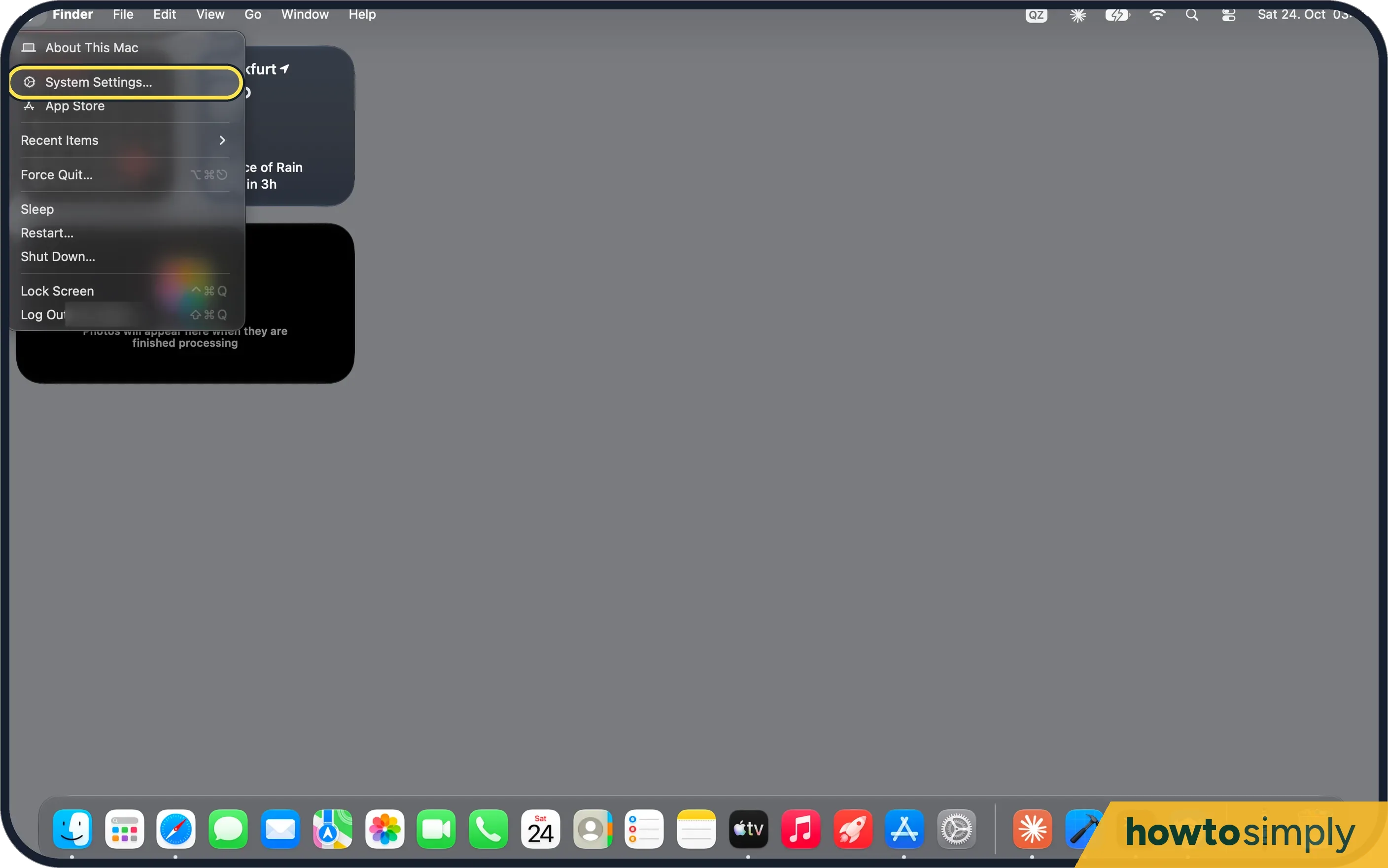
Open System Settings
Click the Apple menu in the top-left corner of the screen and choose System Settings….
On our MacBook Neo it is the second item, below About This Mac.
- 2
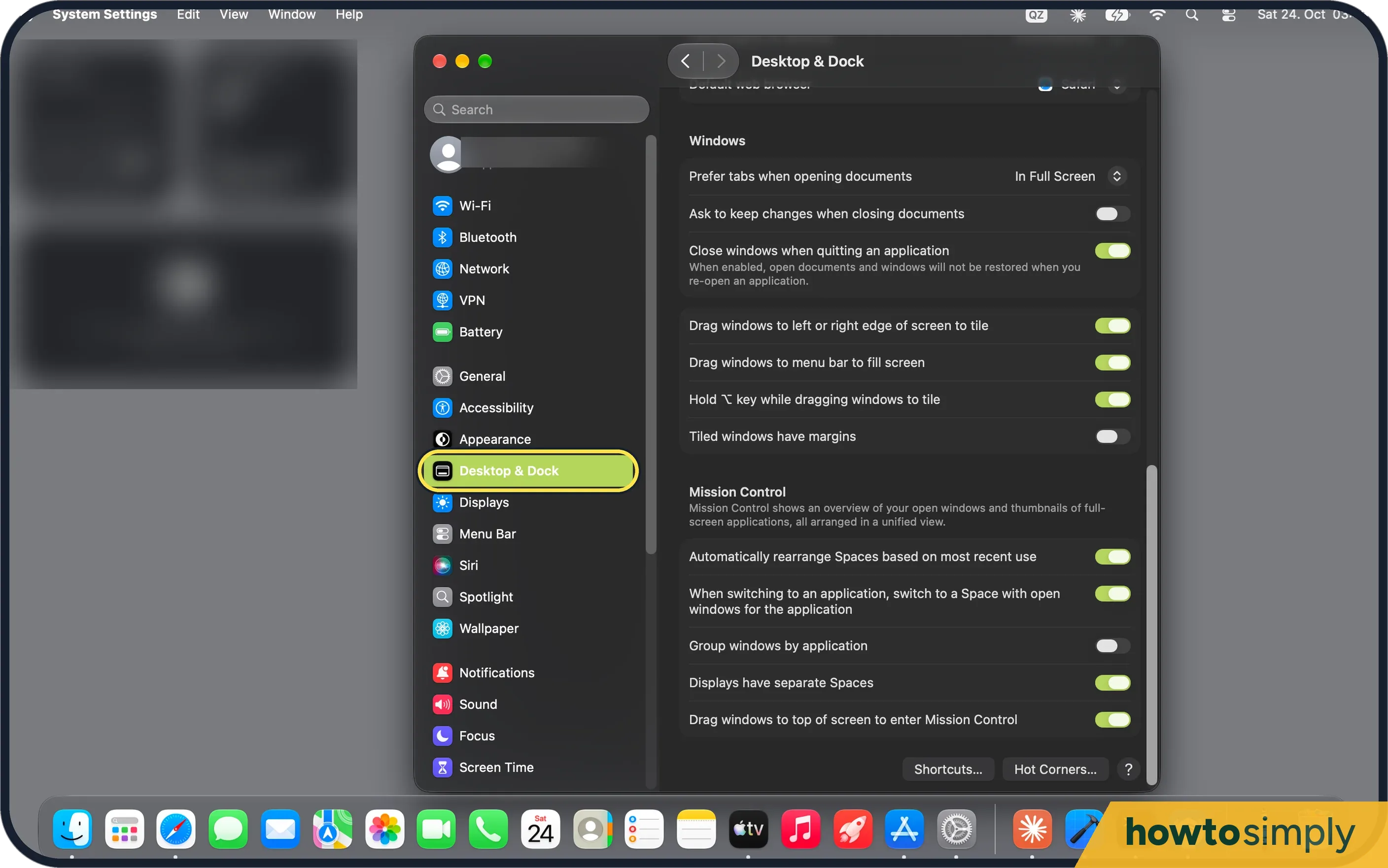
Click Desktop & Dock in the sidebar
It is below Appearance. You may need to scroll down the sidebar.
Then scroll down the page to the Windows group.
- 3
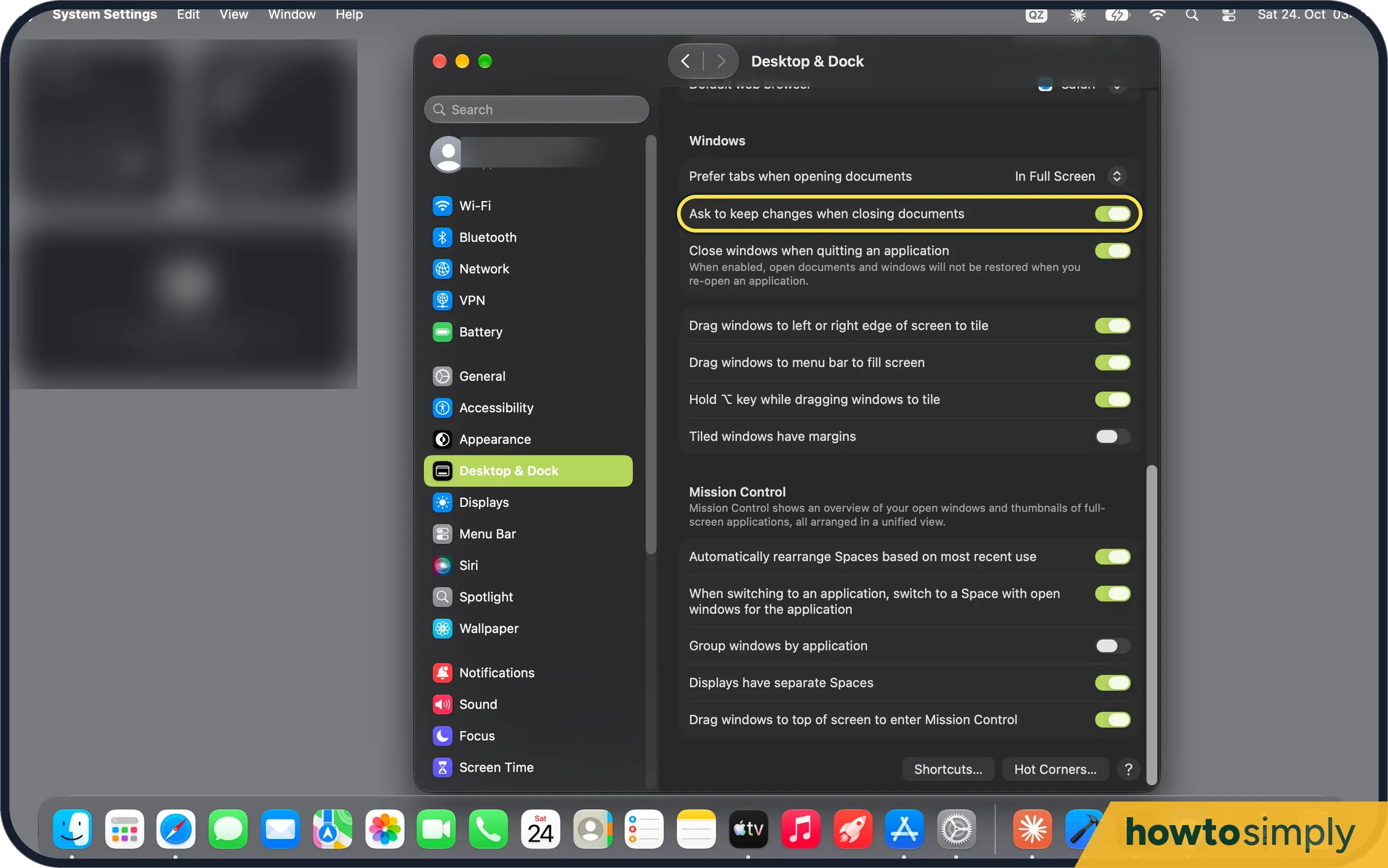
Switch on Ask to keep changes when closing documents
It is the second row of the Windows group, below Prefer tabs when opening documents.
On our MacBook Neo the switch was off until we turned it on.
- 4
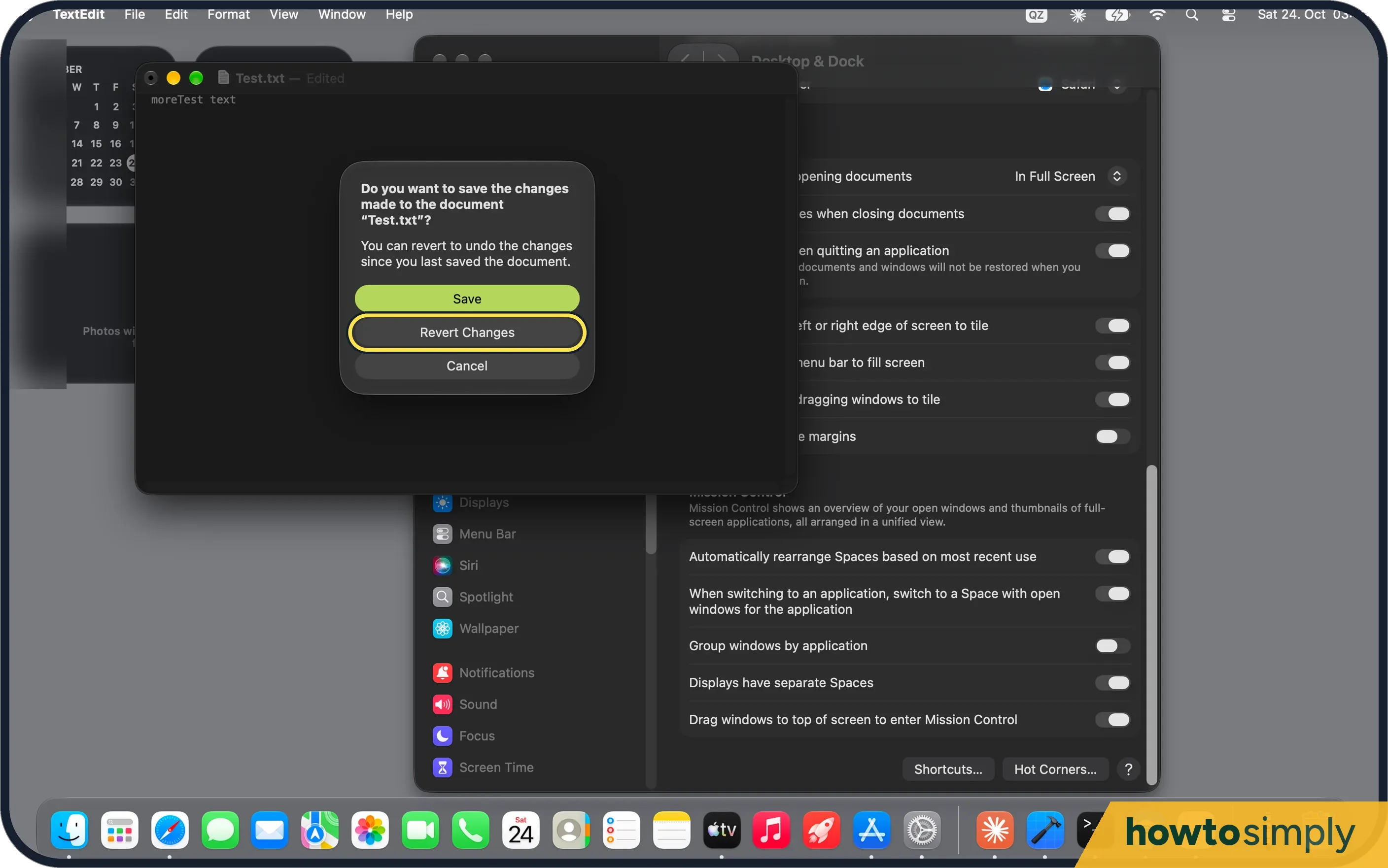
Close an edited document and choose what to do
The Mac now asks before keeping your changes. Click Save to keep them, Revert Changes to undo them since the last save, or Cancel to go back.
On our MacBook Neo, TextEdit asked: Do you want to save the changes made to the document "Test.txt"?


If you do not see this option
- Your Mac has System Preferences Apple's guide for macOS Monterey 12 says Ask to keep changes when closing documents is a tick box in System Preferences, General. Sources: Change Desktop & Dock settings on Mac, View and restore past versions of documents on Mac, Change General preferences on Mac
- The Windows group is not in view Apple lists Windows after the Dock, Desktop & Stage Manager and Widgets groups, so scroll down the Desktop & Dock page. On our MacBook Neo it sits just above the Mission Control group. Sources: Change Desktop & Dock settings on Mac, View and restore past versions of documents on Mac, Change General preferences on Mac
- Desktop & Dock is not in the sidebar Scroll down the sidebar. On our MacBook Neo it is between Appearance and Displays.
If this does not work
- The changes were already kept The older text may still be there. Apple says to choose File, Revert To, then Last Opened, or Browse All Versions to pick an older version.
- You want both versions Apple says to hold Option and click Restore a Copy when browsing versions, or hold Option and choose File, Save As. Restore a Copy duplicates that version in a new document.
- The app never saved by itself Apple says lots of apps keep saving versions of a document by themselves while you work.
Good to know
Prefer tabs when opening documents, the row above, decides when documents open in a tab and not in a new window: Never, Always or In Full Screen. On our MacBook Neo it was set to In Full Screen.
macOS 27 compared with macOS 26: We rewrote this guide on macOS 27.0.1 (MacBook Neo): it now has 4 steps instead of 3. The macOS 26 page keeps the steps and screenshots as they were.
Version history: the macOS 26 version of this guide, with its own screenshots.
About this guide
"I only changed the font to see how it looked!" Out of the box, a Mac saves your unsaved changes for you when you close a document. That is very helpful right up until it isn't. A switch in Desktop & Dock makes the Mac ask first.
- Device
- Mac
- Shown on
- macOS 27.0.1 (MacBook Neo)
- App
- System Settings
- Real screenshots
- 4 of 4 steps
- What we did
- Performed: we made the change on our device and show the result
- Checked
- October 2026
- Sources
- 3 official, linked below
Sources
Links checked October 2026. Menus and features can change with updates.Did this guide work for you?
Sorry about that. What happened?
Get new guides by email
Our newest guides, sent to your inbox. Free, and you can unsubscribe in one click.
We'll email you to confirm. How we use your email
Follow howtosimply on Facebook
We share our new guides on our Facebook page, so the next fix turns up in your feed.
Follow on Facebook