What the MacBook Neo can't do, and what it does have
- Shown on
- MacBook Neo
- Software
- macOS 27.2More macOS 27 guides
- Checked
- October 2026
- Real screenshots
- 6 of 6 steps
- Where it is
- System Settings › Displays
 Real screenshot · MacBook Neo, macOS 27.2
Quick answer
On our MacBook Neo with macOS 27.2, Displays has no refresh-rate menu and no True Tone switch, Siri has no Apple Intelligence row and Network has no cellular option. It does have Touch ID, Night Shift, Low Power Mode and Battery Health. Apple lists one Neo model without Touch ID.
Steps
- 1
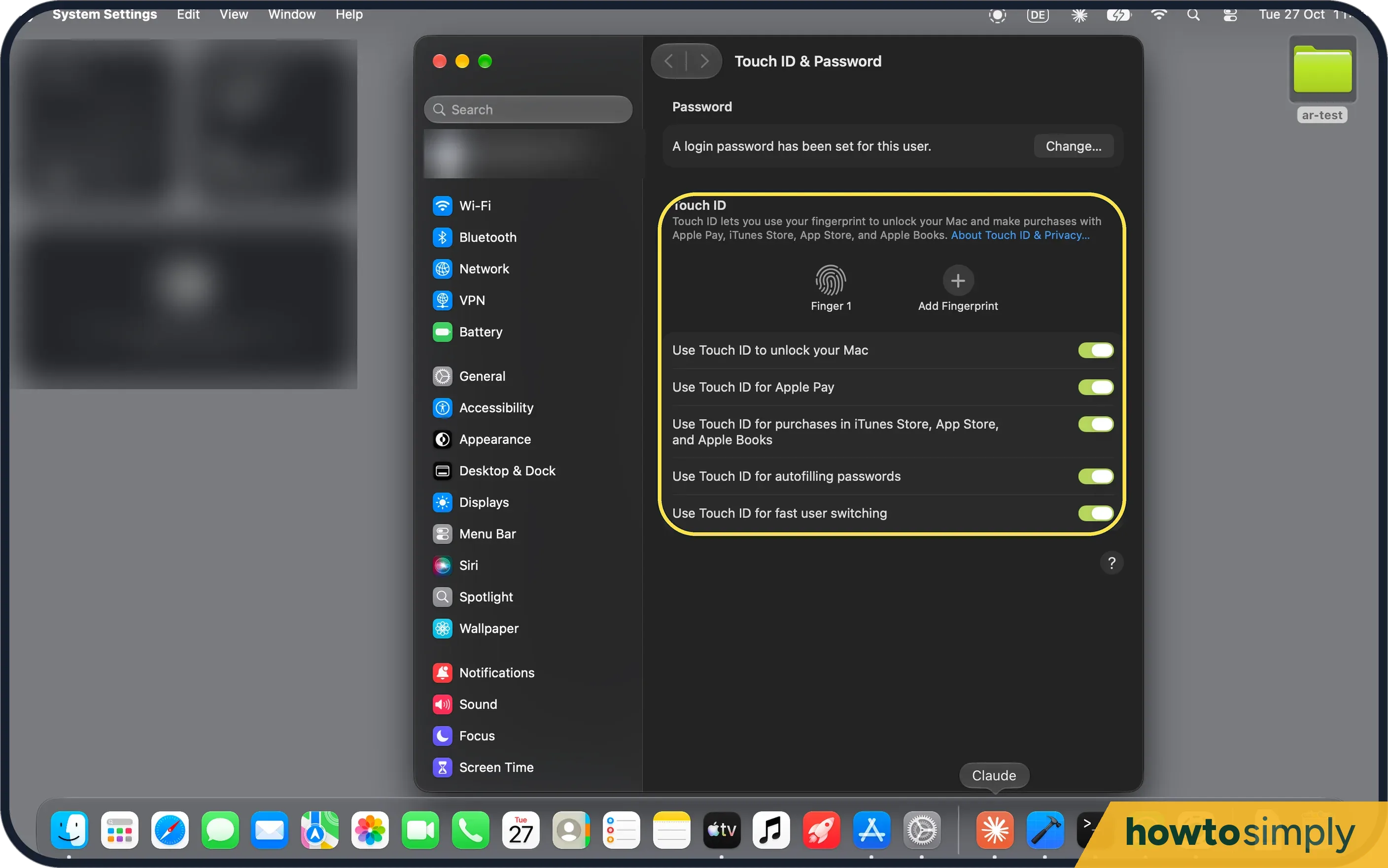
Touch ID: yes, on ours
System Settings, Touch ID & Password shows one fingerprint (Finger 1), Add Fingerprint and switches to use Touch ID to unlock the Mac, for Apple Pay, purchases, autofilling passwords and fast user switching. Apple's specs list Touch ID on the Magic Keyboard with Touch ID model and not on the plain Magic Keyboard model.
- 2
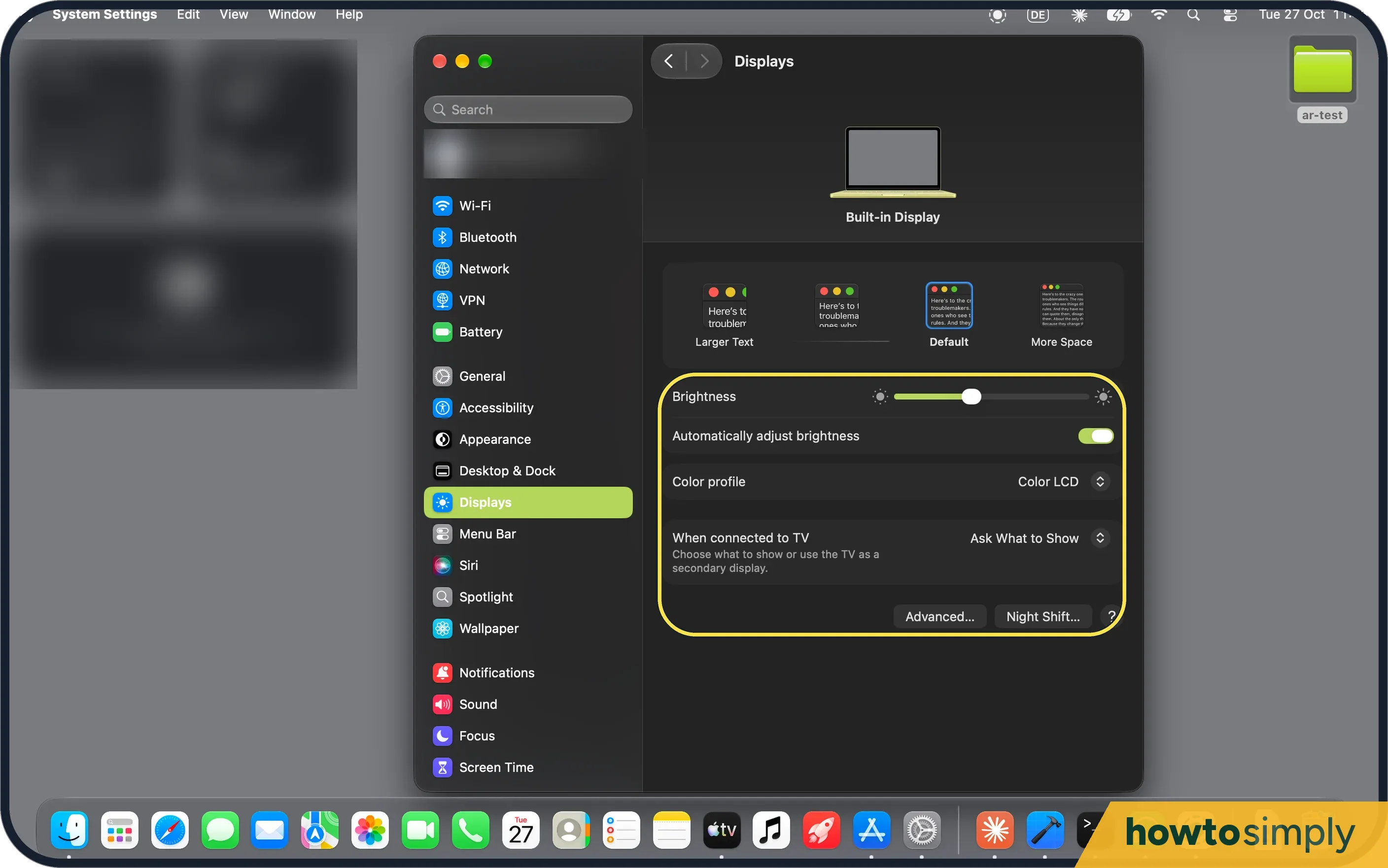
Displays: no True Tone, no refresh rate
Displays lists the text size choices from Larger Text to More Space, Brightness, Automatically adjust brightness, Color profile (Color LCD) and When connected to TV, with Advanced… and Night Shift… buttons. There is no True Tone switch and no Refresh Rate menu.
- 3
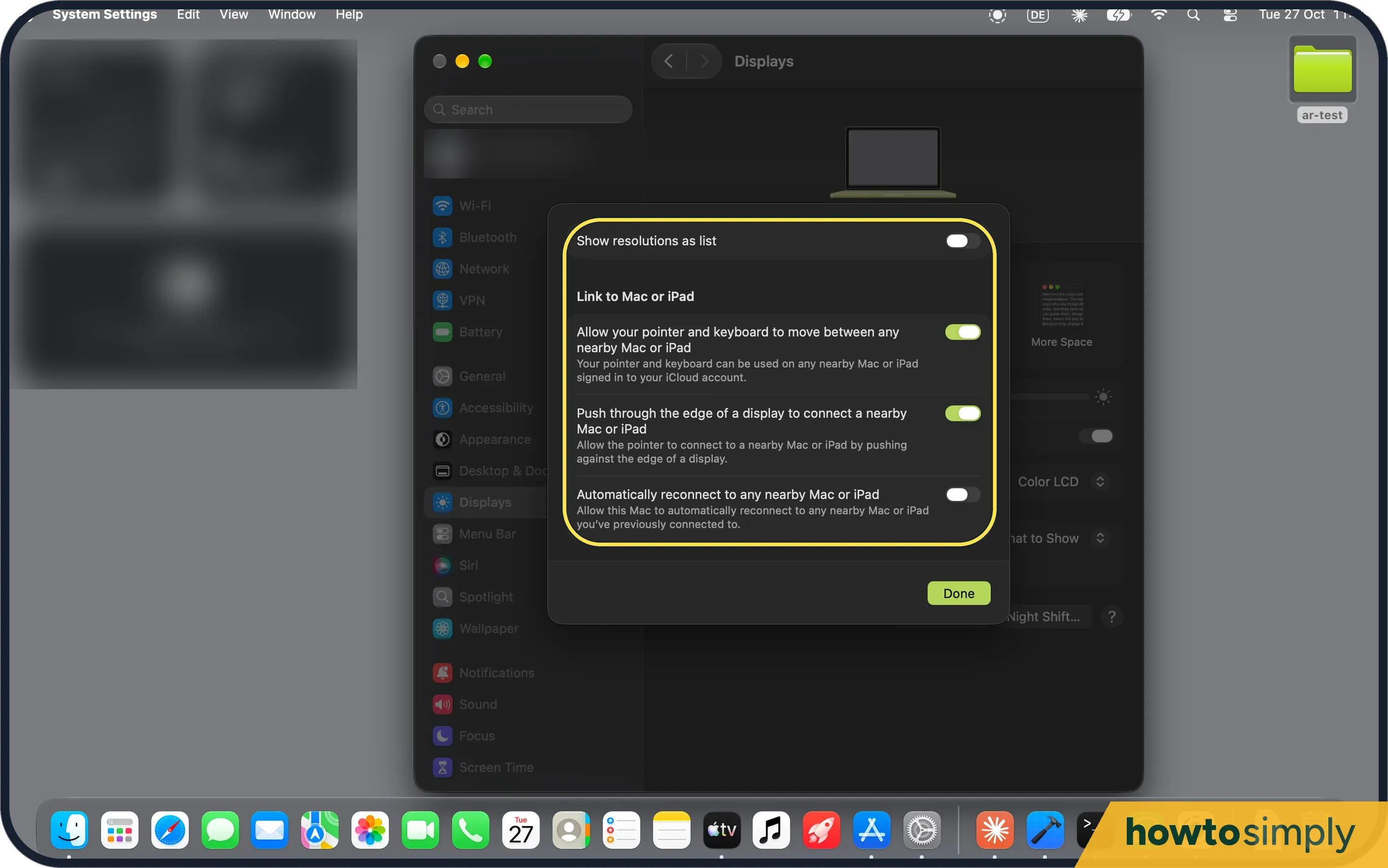
Advanced: still no refresh rate
Click Advanced…. Ours showed Show resolutions as list and the Link to Mac or iPad switches, then Done. No refresh-rate setting here either.
- 4
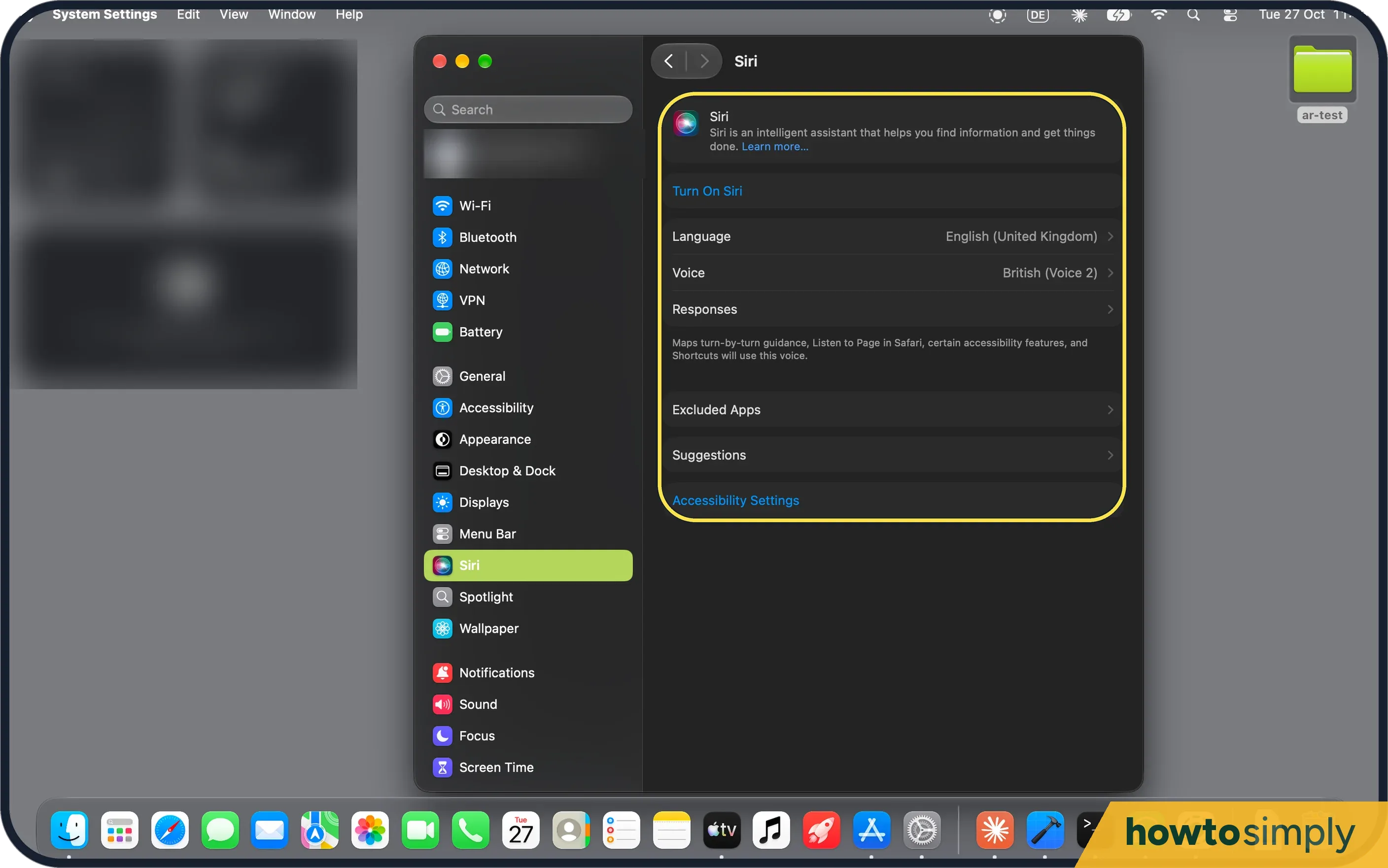
Siri: no Apple Intelligence row
The sidebar item is just Siri. The page has Turn On Siri, Language (English (United Kingdom)), Voice, Responses, Excluded Apps, Suggestions and Accessibility Settings. There is no Apple Intelligence setting. Apple's specs page notes that some features may not be available in all regions or languages.
- 5
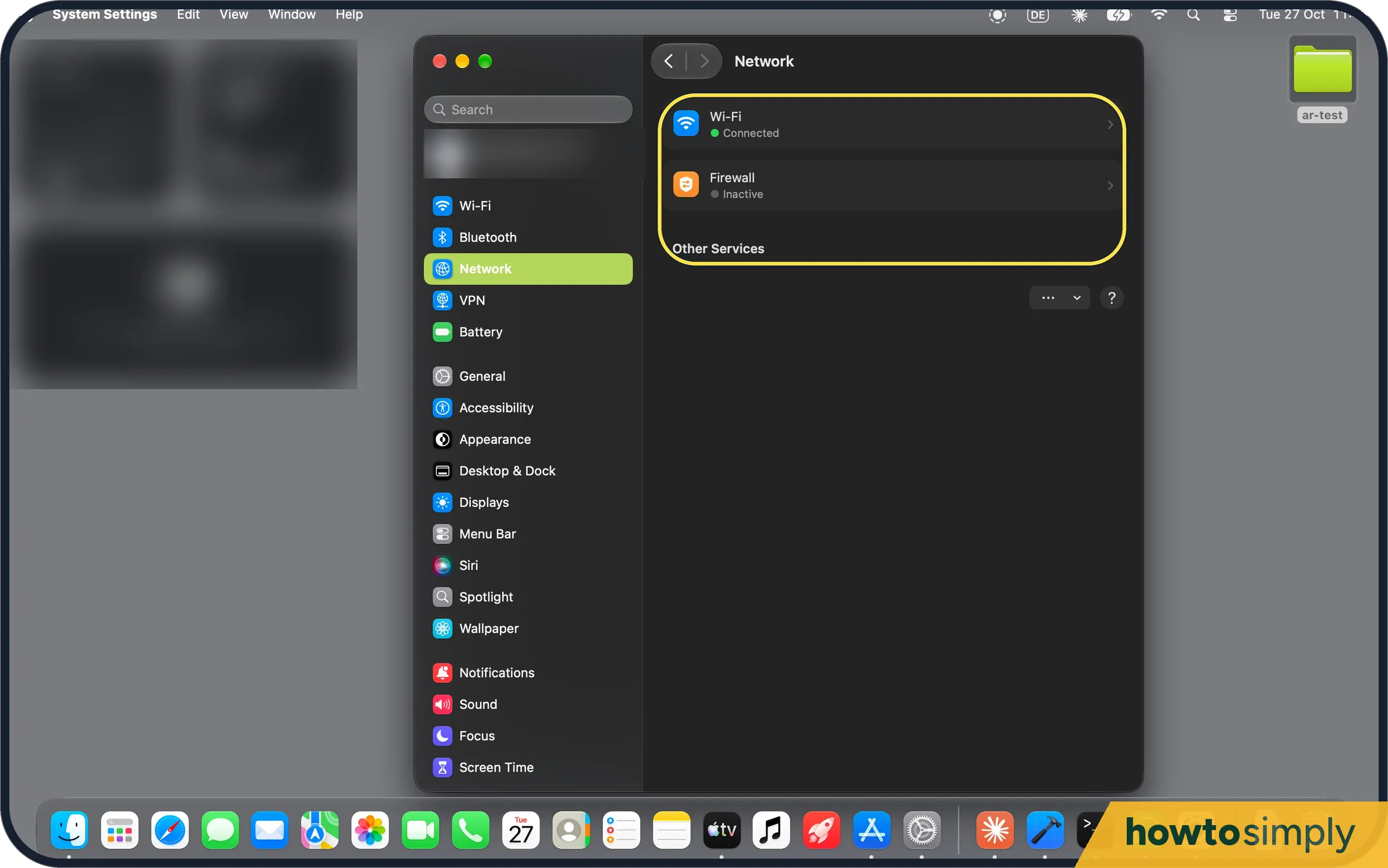
Network: Wi-Fi, no cellular
Network shows Wi-Fi (Connected) and Firewall (Inactive). Other Services is empty: there is no cellular or 5G option. Apple's specs list Wi-Fi 6E and Bluetooth 6 and no cellular.
- 6
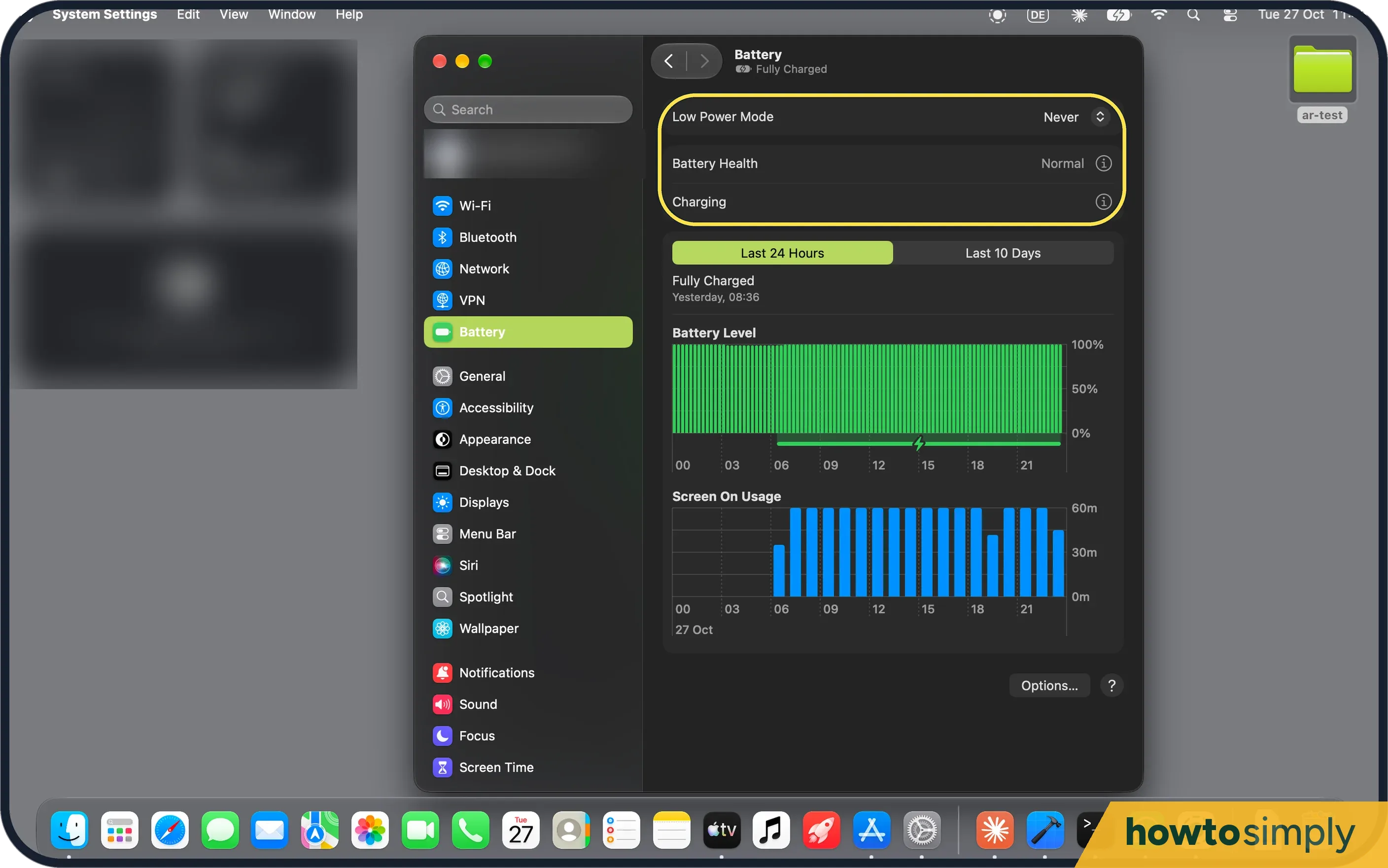
Battery: Low Power Mode and Battery Health
Battery has Low Power Mode (Never on ours), Battery Health (Normal) and Charging, then charts for the last 24 hours and the last 10 days.


If you do not see this option
- Want an external monitor? Apple's specs say the Neo supports one external display at up to 4K at 60Hz, alongside the built-in display at full resolution. We had no monitor to test it. Source: MacBook Neo Technical Specifications
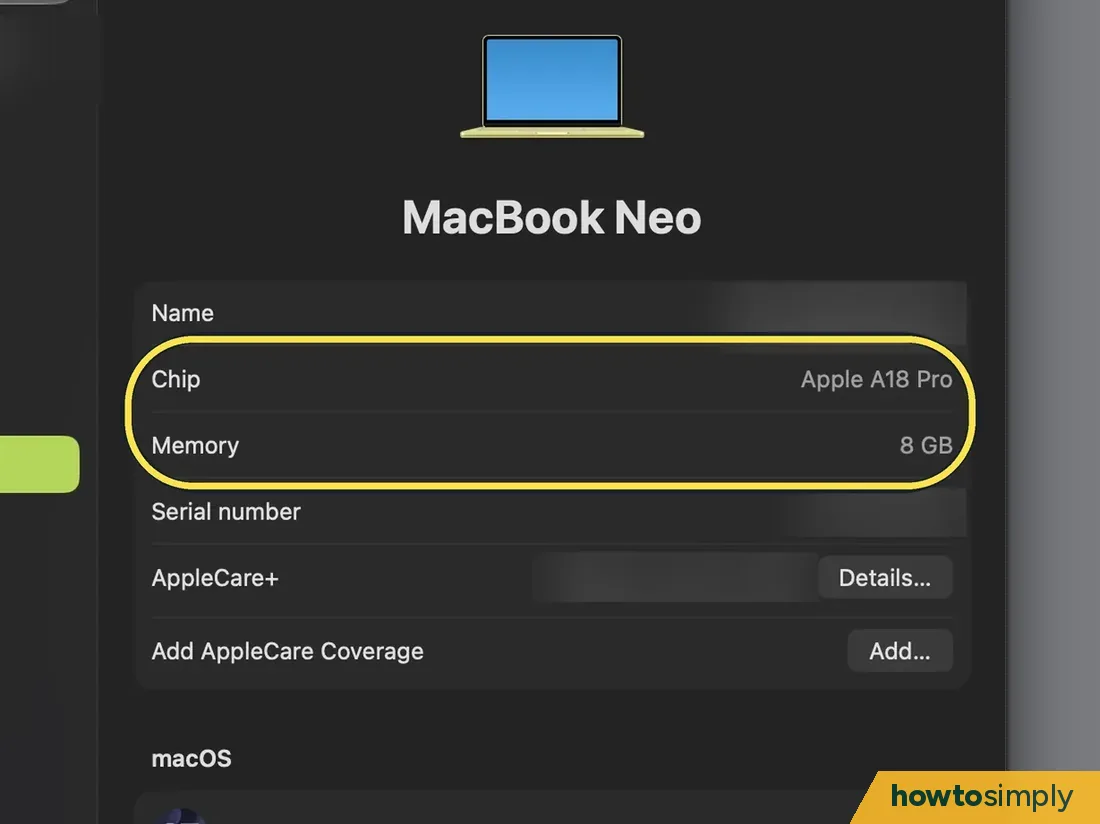
- Where are the chip and memory? General, About on ours: Apple A18 Pro, 8 GB, macOS Golden Gate Version 27.2 and a Built-in Liquid Retina Display, 13-inch (2408 x 1506). It also says support for Intel-based apps ends in macOS 28.
Zoomed in on the setting. Tap to see the whole screen
If this does not work
- Screen too blue at night? There is no True Tone, but Displays has a Night Shift… button. Steps: how to turn on Night Shift on a Mac.
- Need the internet away from Wi-Fi? Our Network page offers Wi-Fi and no cellular, and Apple's specs list Wi-Fi 6E and no cellular.
- Battery running down fast? Low Power Mode is on the Battery page. See how to use Low Power Mode on a Mac and how to check battery health on a MacBook.
Good to know
On an iPhone: what the iPhone 17e can't do.
About this guide
Our MacBook Neo has the Apple A18 Pro chip and 8 GB of memory, with macOS 27.2 (26B123). We looked where each feature would sit in System Settings on 27 October 2026, in Dark mode. The Mac's region is the United Kingdom.
Hardware facts are from Apple's MacBook Neo specs page: a 13-inch LED-backlit IPS display at 2408 by 1506 pixels and 500 nits, Wi-Fi 6E and Bluetooth 6. The page does not mention True Tone, ProMotion or cellular.
- Device
- Mac
- Shown on
- macOS 27.2 (MacBook Neo)
- App
- System Settings
- Path
- System Settings › Displays
- Real screenshots
- 6 of 6 steps
- Checked
- October 2026
- Sources
- 1 official, linked below
Sources
Links checked October 2026. Menus and features can change with updates.Did this guide work for you?
Sorry about that. What happened?
Get new guides by email
Our newest guides, sent to your inbox. Free, and you can unsubscribe in one click.
We'll email you to confirm. How we use your email
Follow howtosimply on Facebook
We share our new guides on our Facebook page, so the next fix turns up in your feed.
Follow on Facebook