How to block a phone number on an iPhone (iOS 27)
- Shown on
- iPhone 17e
- Software
- iOS 27.2.1More iOS 27 guides
- Checked
- November 2026
- Real screenshots
- 3 of 4 steps
Quick answer
In the Phone app, tap the number in your recent calls, scroll down and tap Block Caller. Or open Settings, Apps, Phone, Blocked Contacts and tap Add Blocked Contact. On our iPhone with iOS 27.2.1, Blocked Contacts was in the Phone settings, not under Privacy & Security as Apple's page says.
Watch these steps
Video: on our iPhone 17e (iOS 27.2.1) we open Settings, then Apps, then Phone, and Blocked Contacts (steps 1 to 3). Step 4 (Recents) isn't shown because our test phone has no SIM. No sound.
Steps
- 1
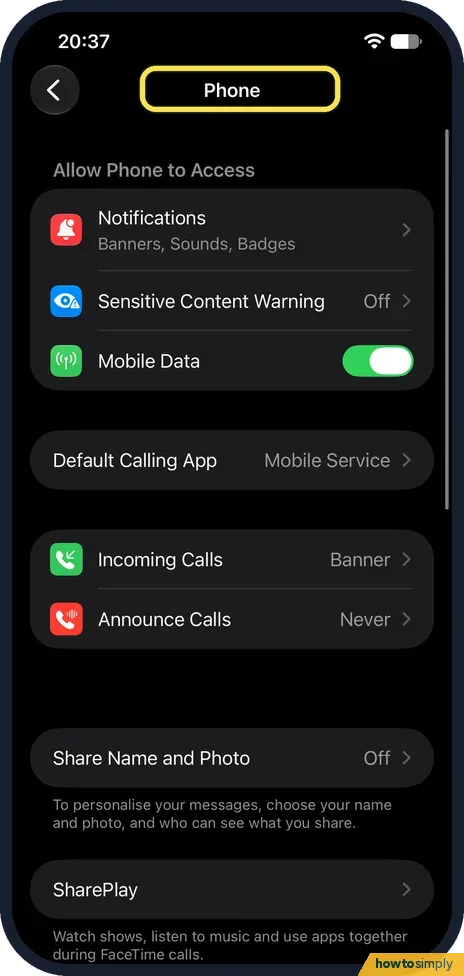
Open the Phone settings
Open Settings, tap Apps, then Phone. Ours opened with Notifications, Mobile Data and Default Calling App at the top.
- 2
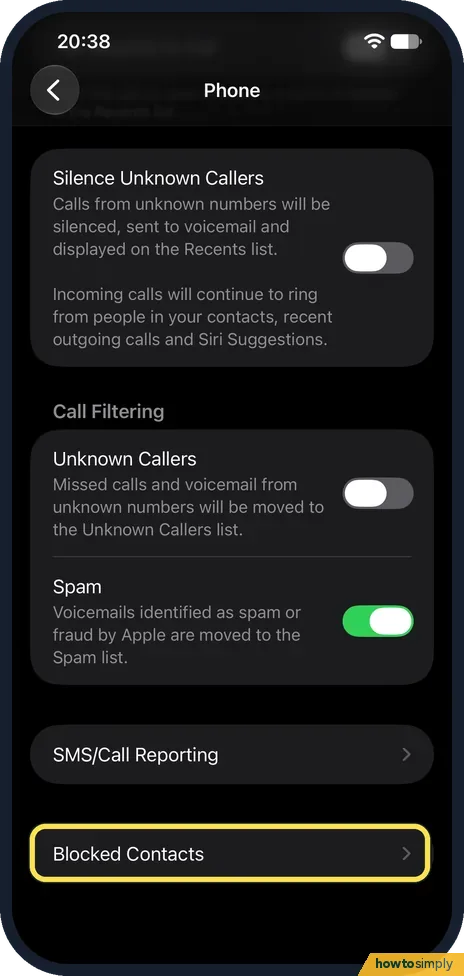
Scroll to Blocked Contacts
Blocked Contacts is the last row, under Call Filtering and SMS/Call Reporting. Tap it.
- 3
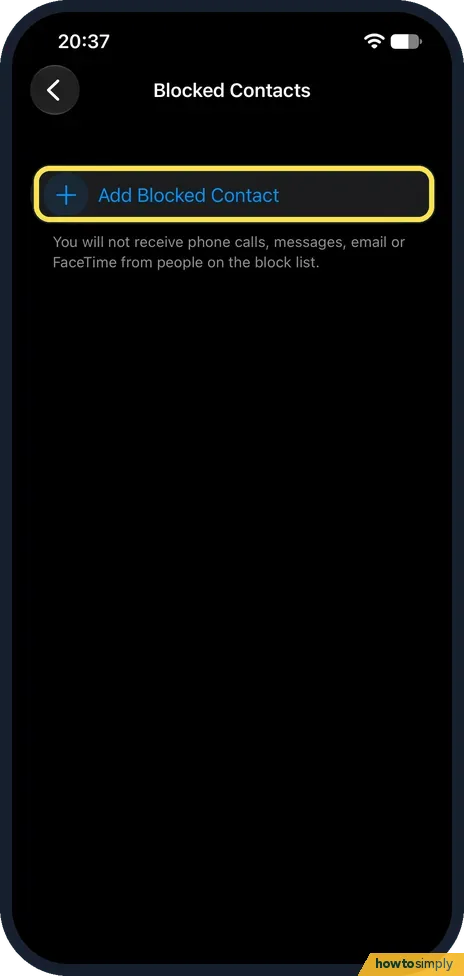
Tap Add Blocked Contact
Tap Add Blocked Contact and choose the person. The note underneath on ours: you won't get calls, messages, email or FaceTime from people on the list.
- 4
Or block from Recents
For a number that isn't a contact, Apple says to open the Phone app, go to your recent calls, tap the number (or the Info button in Classic view), scroll down and tap Block Caller.
If you do not see this option
- Blocked Contacts not under Privacy & Security? Apple's page gives that path for iOS 26. On our iOS 27.2.1 phone it was at the bottom of Settings, Apps, Phone. Source: Block phone numbers, contacts and emails on your iPhone
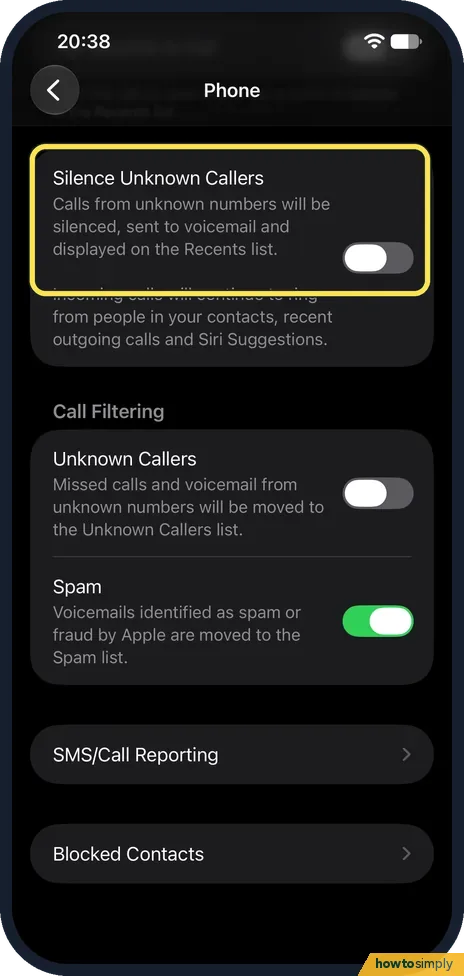
- Too many unknown numbers to block one by one? Turn on Silence Unknown Callers in the same Phone settings. The note under it on ours says calls from unknown numbers are silenced, sent to voicemail and shown in Recents, while your contacts, recent outgoing calls and Siri Suggestions still ring. It was off on ours. Source: Manage unknown callers on iPhone
If this does not work
- Spam still getting through? Under Call Filtering, ours had Spam switched on. Apple says those calls land in a Spam list you reach with the Filter button in the Phone app.
- Blocked someone by mistake? Apple says to open Blocked Contacts, tap Edit, tap the delete button next to the person, then Unblock.
Good to know
Want the phone to sound different for the people you do want to hear from? See how to change the ringtone on an iPhone.
About this guide
Blocked callers can still leave a voicemail, but you won't be told about it, and their messages won't come through. They are not told they are blocked.
- Device
- iPhone
- Shown on
- iOS 27.2.1 (iPhone 17e)
- App
- FaceTime
- Real screenshots
- 3 of 4 steps
- What we did
- Observed: looked at each screen, changed nothing
- Checked
- November 2026
- Sources
- 2 official, linked below
The screenshots are from our iPhone 17e with iOS 27.2.1, in Dark mode, taken on 18 November 2026. We only looked at these screens and changed nothing. We didn't block anyone, so the list on ours is empty.
Sources
Links checked October 2026. Menus and features can change with updates.Did this guide work for you?
Sorry about that. What happened?
Get new guides by email
Our newest guides, sent to your inbox. Free, and you can unsubscribe in one click.
We'll email you to confirm. How we use your email
Follow howtosimply on Facebook
We share our new guides on our Facebook page, so the next fix turns up in your feed.
Follow on Facebook