How to Back Up Your Phone (iPhone & Android) So You Never Lose Photos
2 min read · 6 steps · Updated 1 October 2026
Phone broken, stolen or dropped in water? How to back up your iPhone or Android phone properly: turn on cloud backup, check your storage, back up photos and WhatsApp chats, keep a copy on your computer, and check that your backup actually works.

Your phone breaks, gets stolen, or falls in water. What happens to your photos, chats and contacts? If you don't have a backup, they could be gone for good. Here's how to back up your phone properly, on iPhone and Android.
First, what should a backup include? Photos and videos, contacts, messages and chats, and the settings and data from your apps. The good news: most of this can happen automatically.
Step by step
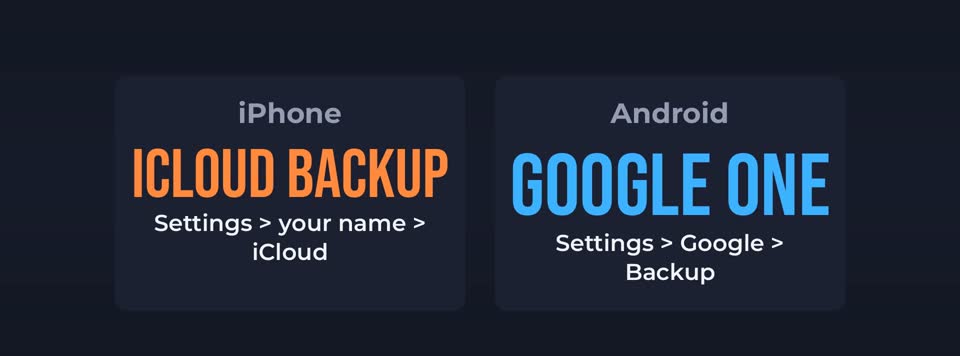
Turn on cloud backup
On an iPhone, open Settings, tap your name, then iCloud, then iCloud Backup, and turn it on. On Android, open Settings, then Google, then Backup, and turn on backup by Google One. Menu names can be a little different on your phone.

Check your storage
Free cloud storage fills up fast. If your backup says there isn't enough space, delete old backups from devices you no longer use, or upgrade to a bigger plan. A small plan usually costs less than a coffee each month.

Back up photos separately
Turn on iCloud Photos on iPhone, or backup in Google Photos on Android. Then check that the upload has finished. A photo that only lives on your phone is not backed up.

Don't forget your chats
WhatsApp keeps its own backup. Open WhatsApp, Settings, Chats, then Chat backup, and choose daily or weekly. On iPhone it saves to iCloud, on Android to Google Drive.

Make a copy on your computer
For extra safety, keep a second copy at home. Connect your iPhone to a Mac or Windows computer and back it up there. On Android, copy your photos folder to the computer or an external drive.

Check that it actually works
Look at the date of your last backup. It should be today or yesterday. Open your cloud photos on another device, and make sure your pictures are really there.
Good to know
A simple rule many people follow: three copies, on two different types of storage, with one copy somewhere else, like the cloud.
And protect your cloud account with a strong password and two-factor authentication. Your backup is only as safe as the account it's in.
In short: Turn on cloud backup, check your storage, back up photos and chats, keep a copy at home, and check your backup date.